
GHL themes for every screen, plus real dark mode
Change the costume, keep the show. 27 GHL themes and 11 UI kits restyle the whole of GoHighLevel at once: sidebar, header, cards, buttons and the login page pairing. Add your logo and brand colours, switch on GoHighLevel dark mode, and preview it all live before a single client sees it.
Try on GHL themes without touching your account
A GHL theme restyles every GoHighLevel screen at once; pick a theme, a UI kit and light or dark mode below and the real customizer engine redraws a sample sub-account.
Now showing: Cinematic City. All 27 themes and 11 UI kits from the editor, applied by the real engine. Turn on dark mode to borrow a dark palette while keeping the theme's accent.
Three looks from the same account
Pearl and pink for a coaching brand, black-and-white for a B2B demo series, deep amber for evening masterclasses. Same GoHighLevel, same data, different show.
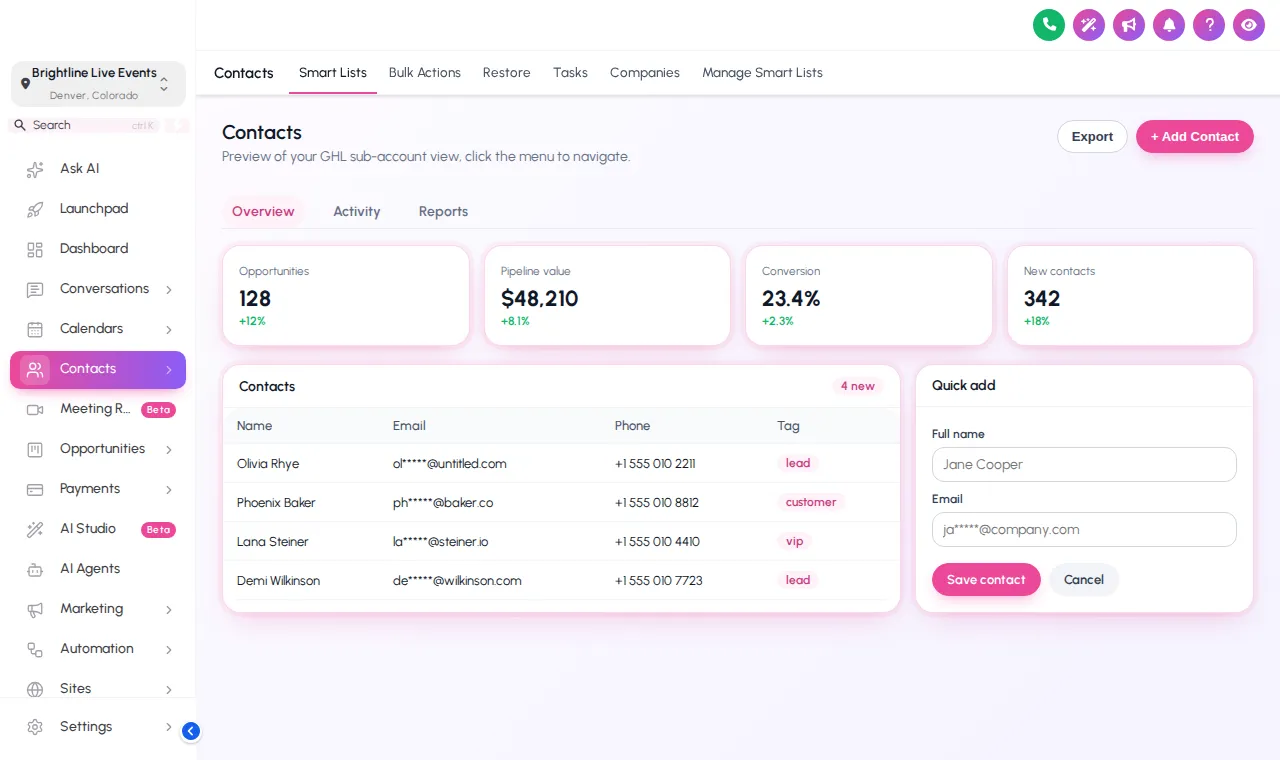
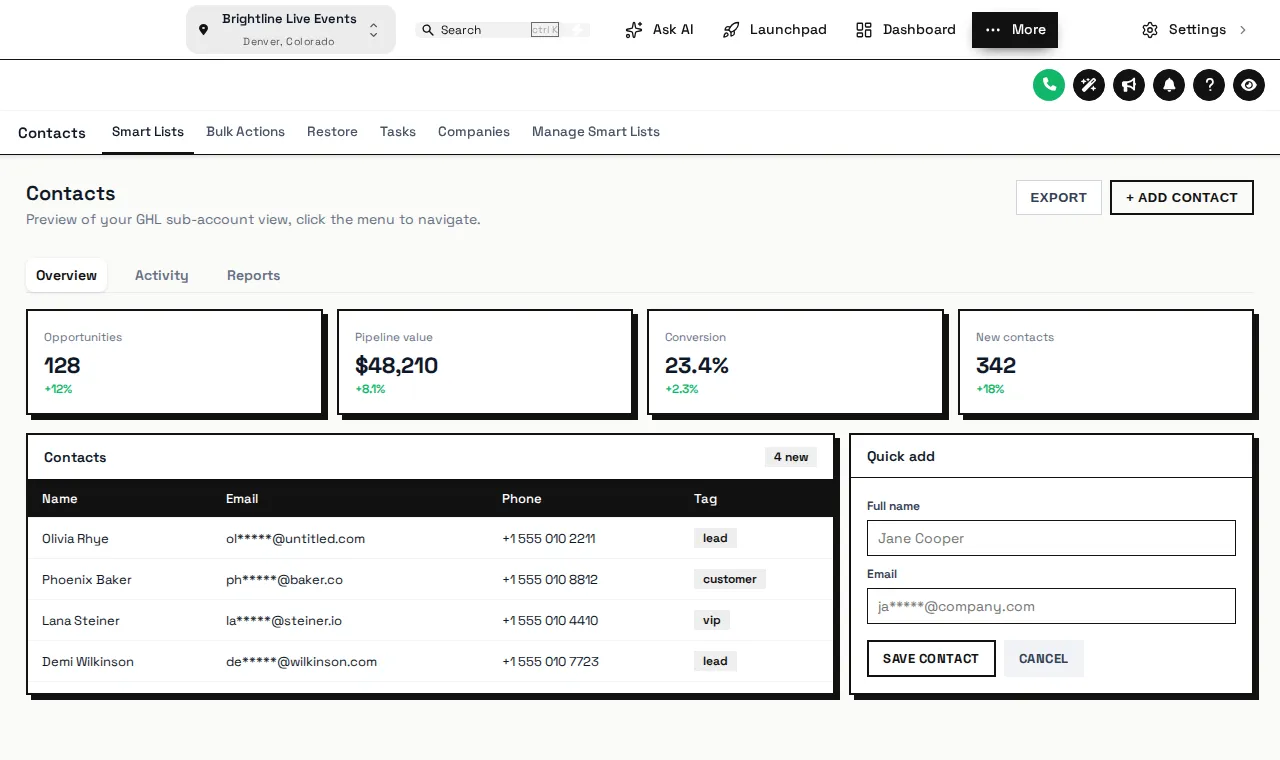
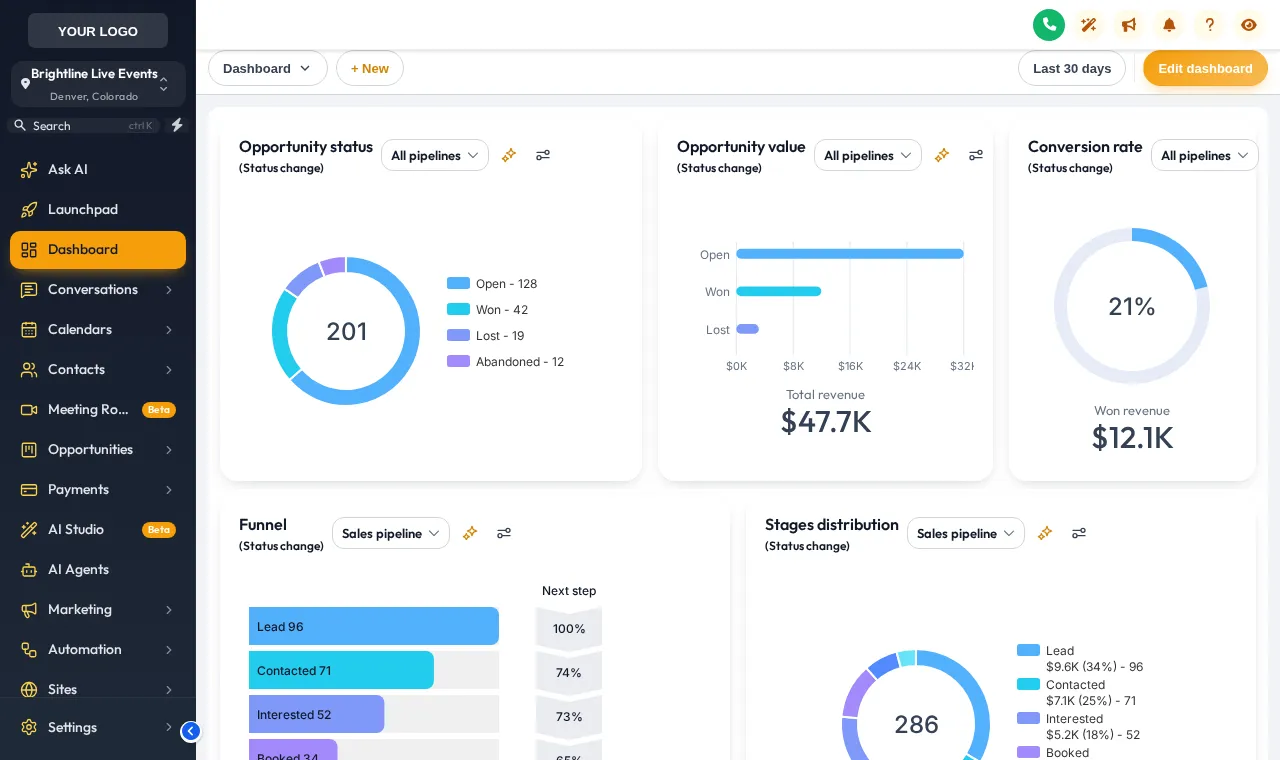
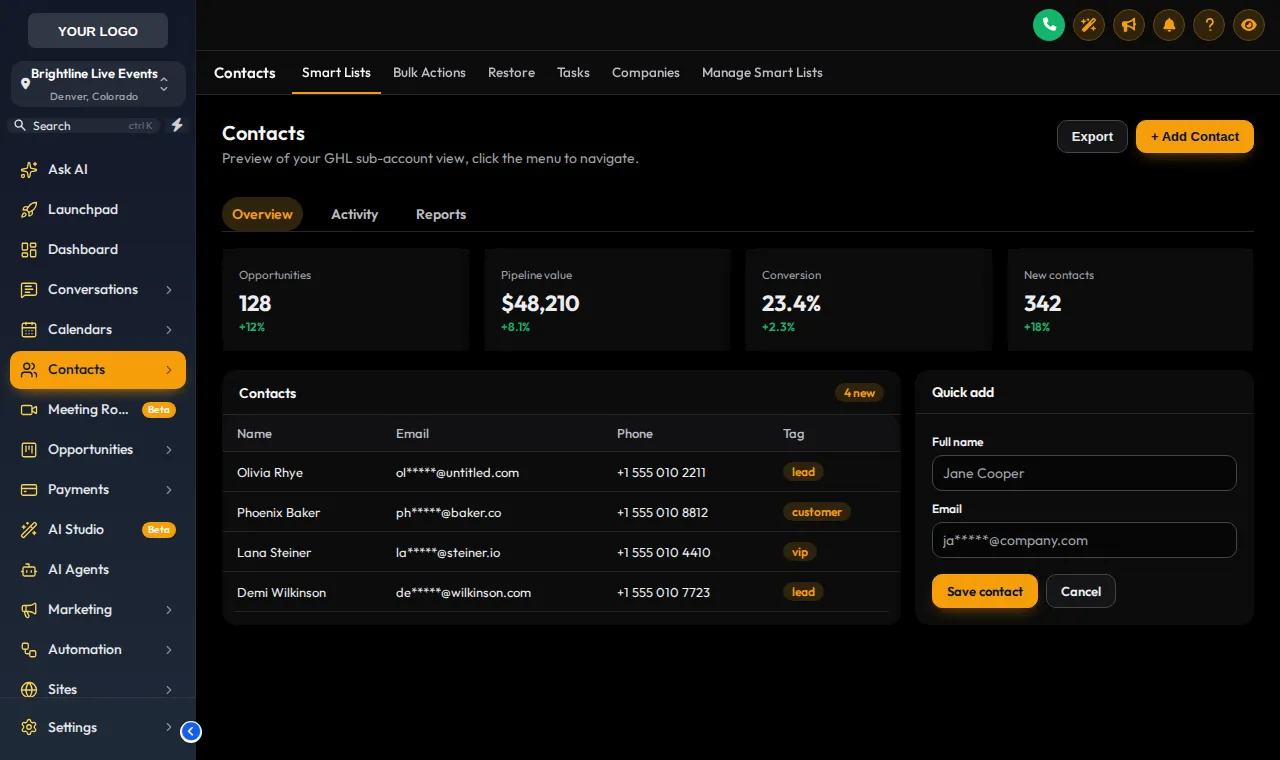
GoHighLevel dark mode, for the late launch
Live webinars for other time zones mean someone is in GoHighLevel at 11pm answering replay questions. Dark mode turns lists, contact records and cards dark while your accent colour stays put, so the screen is easier on the eyes and still on brand.
Built-in dark themes
3 themes are dark from the sidebar to the cards.
Dark mode for light themes
Any light theme can switch to a dark palette, as the Mode chips in the preview show.
Theme, UI kit, brand: three dials
Colour and layout
Sidebar or top bar, sidebar colours, accent, header and the login design it pairs with. 27 to choose from.
Shape and surface
Soft Shadow, Bordered Flat, Elevated, Glass, Accent Top, Side Accent, Brutalist, Studio Gradient, Halo Glow, Crisp Highlight, Rounded Pill. Cards, buttons and inputs change shape; colours stay.
Your logo and colours
Your logo in the sidebar and your brand colour as the accent, which is what makes it a GoHighLevel white label theme rather than ours.
Patching selectors after every update
- Snippets copied from groups that cover one screen each
- No preview: edit, save, refresh production, hope
- A GoHighLevel interface change quietly breaks half of it
Every screen styled, previewed first
- One theme covers lists, records, settings and modals
- Live preview before you publish
- A maintained engine instead of fragile selectors
When a new theme is worth it
Before a relaunch
New offer, new brand colours. Change the theme the same day the registration page changes, so clients see one brand everywhere.
Agency client hand-off
Coaches and course creators log in to check registrations. Your logo and colours on every screen show whose platform they are on.
Screen-shared trainings
A clean, high-contrast theme reads better on a recorded walkthrough or a live onboarding call.
- Cue 1Today
Choose a package and pay once
Pick Live Start, Stage Pro, Main Event and pay by card through Stripe. It is a one-time payment for a lifetime account: no subscription and no renewal.
- Cue 2Minutes later
Get your login by email
The account is created automatically and your login (email and a temporary password) arrives by email, usually within minutes and at most 24 hours.
- Cue 3Rehearsal
Customize in the live editor
Log in, pick a theme, login design, menus, dashboard and widgets, and watch every change on a live preview before anything reaches your clients.
- Cue 4Curtain up
Paste one line into GoHighLevel
Paste one line of code into Agency Settings, Company, White Label, Custom JS (plus one CSS line for the login page). About 2 minutes, once; later changes go live instantly.
Included from Live Start (and in Stage Pro and Main Event)
All 27 themes, 11 UI kits, dark mode, your colors and logo, and all 16 animated login page designs. One-time payment, lifetime access. Login emailed within minutes (max 24 hours).
GHL theme and dark mode questions
Themes, UI kits, dark mode and brand colours: what they change and which package includes them.
What is a GHL theme?
Which package includes the GHL themes and dark mode?
What is the difference between a theme and a UI kit?
Does GoHighLevel have a real dark mode with this?
Is this a GoHighLevel white label theme for my agency brand?
Do I need to write GHL custom CSS?
Can I move the menu to the top of the screen?
Can different sub-accounts use different themes?
Will a theme slow GoHighLevel down?
How do I undo a theme?
Finish the set
A theme pairs naturally with a custom login page and, from Stage Pro, a dashboard design in matching colours. Back to the GHL Customizer Studio overview.
Dashboard designs
Dashboard designer: 18 sub-account dashboard designs, tried live on a sample webinar launch dashboard.
From Stage ProPipeline boards
Pipeline board designer: 12 opportunities board designs, tried live on a sample registrant pipeline.
From Stage ProMenus and navigation
Menu layouts: sidebar or top bar, 8 top-bar styles, 8 mega menu styles, 8 header styles and a floating quick menu.
From Live StartContact actions bar
Contact actions bar: quick tags, custom-field forms and workflow buttons on every GoHighLevel contact.
From Stage ProLogin page designs
16 animated login page designs for the GoHighLevel sign-in, two-factor and password reset screens.
From Live StartCalculator widgets
Calculators: 134 templates in 14 types (no-show, ROI, stack replacement, speed to lead and more) for websites and funnels.
From Main EventPopup templates
Popups: 43 templates in 7 formats for inside GoHighLevel and for websites and registration pages.
From Main EventSocial proof notifications
Notifications and social proof: 94 templates in 32 types, including live counters, video and countdown collectors.
From Main EventFloating widgets
Floating widgets: 51 templates in 7 types, with 34 networks and leads sent into GoHighLevel.
From Main EventPut your brand on every screen, tonight
All 27 themes, 11 UI kits, dark mode and the login page library come with Live Start, the first package.
One-time payment · login emailed within minutes (max 24 hours) · we never ask for your GoHighLevel password
GHL Webinar Snapshot is an independent team and is not affiliated with, endorsed by or sponsored by HighLevel, Inc. GoHighLevel and HighLevel are trademarks of their owner and are used here only to describe compatibility. The GHL Customizer account runs on the GHL Customer Care customizer platform; you customize and install it yourself. Prices are one-time, in USD, and come from our pricing file (last updated 2026-10-02).