
GoHighLevel dashboard design for the morning of the webinar
The dashboard is the first screen your launch team and your clients see. The dashboard designer gives it a proper opening: 18 GoHighLevel dashboard designs with photo or gradient heroes, a live clock, quick links and chart colours that match your brand. You apply them yourself, no CSS needed.
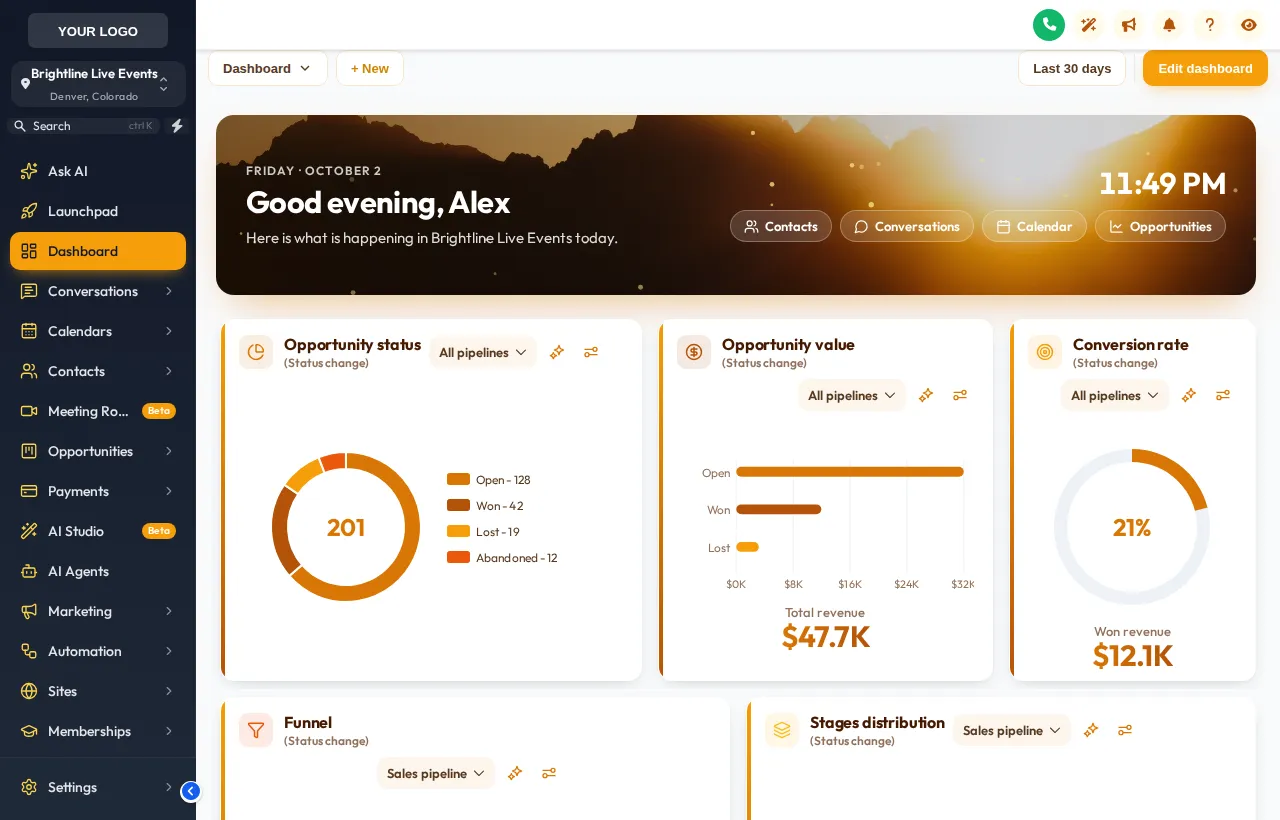
Swap the dashboard, watch it change
Pick a look (photo, light or dark), then a design, then the sidebar theme; the real customizer engine redraws a copy of the GoHighLevel dashboard each time.
Now showing: Golden Hour. Each chip is one of the real dashboard templates, applied by the customizer engine to a copy of the GoHighLevel dashboard. The clock is live; quick links and chart colours are part of each design.
Four dashboards a webinar business actually uses
A GHL dashboard template is only worth applying if it helps someone act faster. Here are four situations where it pays off in launch-driven accounts.
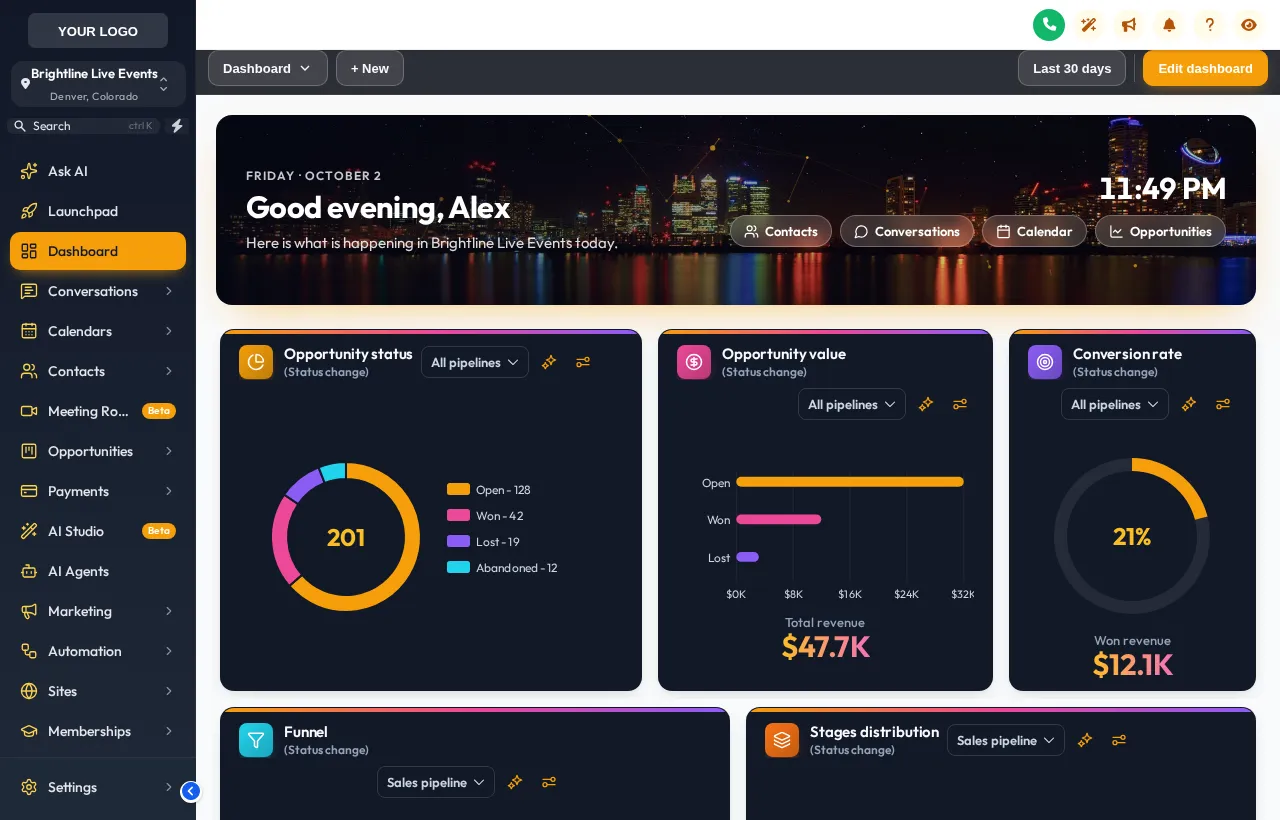
The launch-week command screen
Setters open GoHighLevel at 7am on webinar day. A dark design with quick links to Conversations and the registrant pipeline puts the next action one click away.
The client check-in
Coaches and course creators log in to see registrations climb. A photo hero in their brand colours makes the agency's work visible the moment they arrive.
Evergreen accounts on autopilot
For evergreen funnels nobody watches daily, a calm light design keeps the numbers readable when someone does look in once a week.
Multi-client agencies
Give each sub-account its own design so your team knows at a glance whose account they are in, before they message the wrong list.
A grey grid of widgets
- Same look in every sub-account, so teams lose their place
- Nothing that says whose account or whose launch it is
- Three or four clicks to reach the pages used most
A dashboard that opens the show
- A branded hero with greeting and live clock
- Chart and card colours that match the theme
- Quick links to the screens the launch runs on
All 18 dashboard designs
Every design in the editor today, straight from the customizer catalogue.
- Northern Lights: Aurora photo, dark glass cards, twinkling stars
- Pastel Sky: Dreamy cloud photo, frosted white cards
- City Nights: Skyline hero, midnight cards, connected particles
- Lagoon: Turquoise water hero, fresh teal and white
- Golden Hour: Sunset mountain hero, warm cream and amber
- Liquid 3D: Sculpted 3D hero, peach and coral
- Midnight Neon: Deep navy, glowing edges, neon charts
- Obsidian Gold: Black and gold, premium feel
- Cyber Grid: Dark grid, cyan and magenta light
- Aurora Glass: Frosted cards on a soft colour mesh
- Clean Bento: Big rounded tiles, bold numbers, no clutter
- Sunset Warm: Cream canvas, warm gradient accents
- Ocean Pro: Corporate blue header bands, crisp cards
- Emerald Finance: Money-green accents, calm and clear
- Candy Pastel: Soft pastel mesh, friendly and light
- Brand Match: Built from your primary colour
- Slate Minimal: Flat, bordered, quiet and precise
- Neo Brutal: Thick outlines, hard shadows, loud colour
Four cues to a new dashboard
The dashboard designer sits inside your account's editor. Pick a design there, preview it on your own sub-accounts, and publish; once the one-line install is in place, every change goes live instantly.
- Cue 1Today
Choose a package and pay once
Pick Live Start, Stage Pro, Main Event and pay by card through Stripe. It is a one-time payment for a lifetime account: no subscription and no renewal.
- Cue 2Minutes later
Get your login by email
The account is created automatically and your login (email and a temporary password) arrives by email, usually within minutes and at most 24 hours.
- Cue 3Rehearsal
Customize in the live editor
Log in, pick a theme, login design, menus, dashboard and widgets, and watch every change on a live preview before anything reaches your clients.
- Cue 4Curtain up
Paste one line into GoHighLevel
Paste one line of code into Agency Settings, Company, White Label, Custom JS (plus one CSS line for the login page). About 2 minutes, once; later changes go live instantly.
Included from Stage Pro (and in Main Event)
Everything in Live Start plus mega menus, a floating menu, the dashboard and pipeline designers and the contact actions bar. One-time payment, lifetime access. Login emailed within minutes (max 24 hours).
Dashboard design questions
What the dashboard designer changes in GoHighLevel, what it leaves alone, and which package includes it.
What does the GoHighLevel dashboard designer change?
Which package includes dashboard designs?
Does a dashboard design change my reports or data?
Can each sub-account have its own dashboard design?
Can I use my own photo in the hero?
Will the dashboard design work on phones?
What are the quick links on the dashboard?
Do I need to know CSS to use it?
What happens to the dashboard if I remove the code?
Pair it with the rest of the set
Dashboards look best with a matching GHL theme and a pipeline board design. Back to the GHL Customizer Studio overview.
Themes and dark mode
27 themes, 11 UI kits, dark mode, brand colours and logo for every GoHighLevel screen.
From Live StartPipeline boards
Pipeline board designer: 12 opportunities board designs, tried live on a sample registrant pipeline.
From Stage ProMenus and navigation
Menu layouts: sidebar or top bar, 8 top-bar styles, 8 mega menu styles, 8 header styles and a floating quick menu.
From Live StartContact actions bar
Contact actions bar: quick tags, custom-field forms and workflow buttons on every GoHighLevel contact.
From Stage ProLogin page designs
16 animated login page designs for the GoHighLevel sign-in, two-factor and password reset screens.
From Live StartCalculator widgets
Calculators: 134 templates in 14 types (no-show, ROI, stack replacement, speed to lead and more) for websites and funnels.
From Main EventPopup templates
Popups: 43 templates in 7 formats for inside GoHighLevel and for websites and registration pages.
From Main EventSocial proof notifications
Notifications and social proof: 94 templates in 32 types, including live counters, video and countdown collectors.
From Main EventFloating widgets
Floating widgets: 51 templates in 7 types, with 34 networks and leads sent into GoHighLevel.
From Main EventOpen every launch on a better first screen
The dashboard designer comes with Stage Pro, together with the pipeline designer, mega menus and the contact actions bar.
One-time payment · login emailed within minutes (max 24 hours) · we never ask for your GoHighLevel password
GHL Webinar Snapshot is an independent team and is not affiliated with, endorsed by or sponsored by HighLevel, Inc. GoHighLevel and HighLevel are trademarks of their owner and are used here only to describe compatibility. The GHL Customizer account runs on the GHL Customer Care customizer platform; you customize and install it yourself. Prices are one-time, in USD, and come from our pricing file (last updated 2026-10-02).