
GoHighLevel popup templates for every cue of a launch
GoHighLevel popup templates for two audiences: your team inside GoHighLevel, and your visitors on registration, replay and sales pages. Pick from 43 designs, edit them in a form with a live preview, set the trigger, and switch them on. Nothing to code.
The popups module gives a GHL Customizer account 43 popup templates: 18 that show inside GoHighLevel to logged-in users, and 25 for your own websites and funnels. Up to 15 can be live at once on Main Event.
Most popup tools only think about website visitors. A webinar business has a second audience that matters just as much on launch day: the people working inside GoHighLevel.
Cues for the crew
Welcome-back notes, "go live in 10 minutes" reminders, feature announcements and maintenance notices for your team or client users.
Offers for the audience
Registration nudges, exit intent, newsletter sign-ups, booking prompts and countdown offers on funnels and websites.
Try the GoHighLevel popup templates live
Choose where the popup runs, then a template. Press "Show it again" in the bar to replay the entrance.
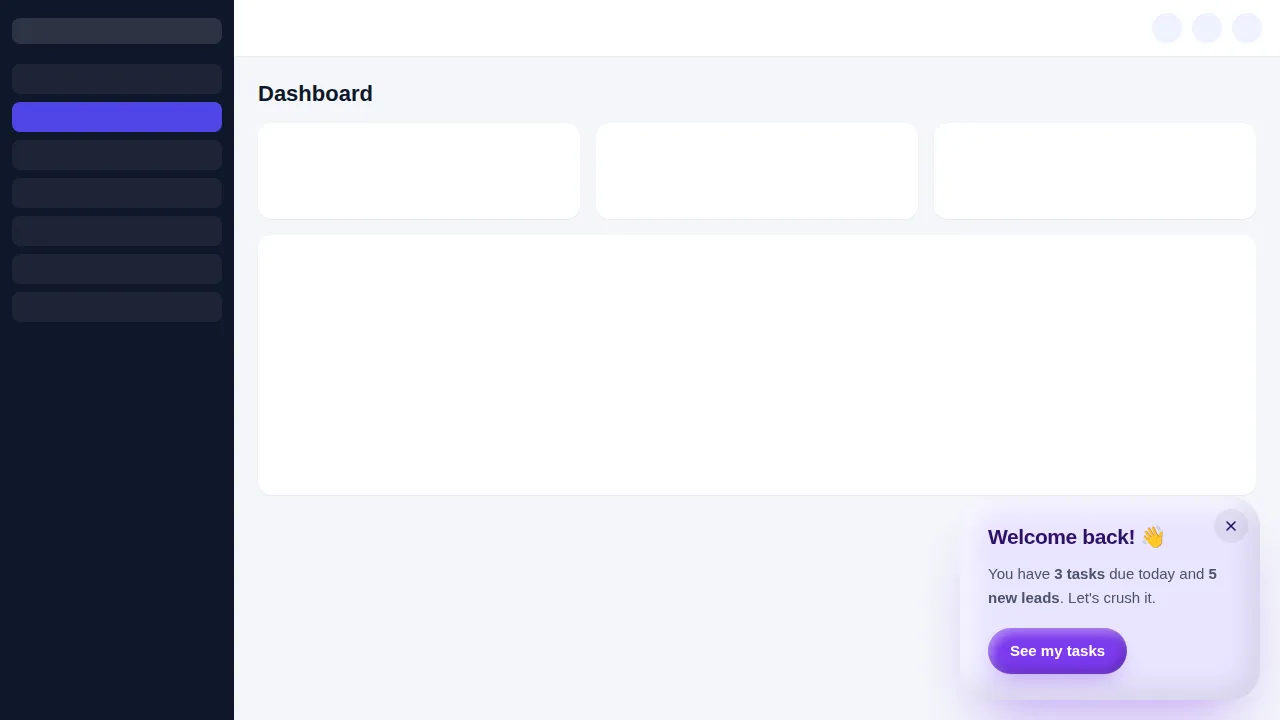
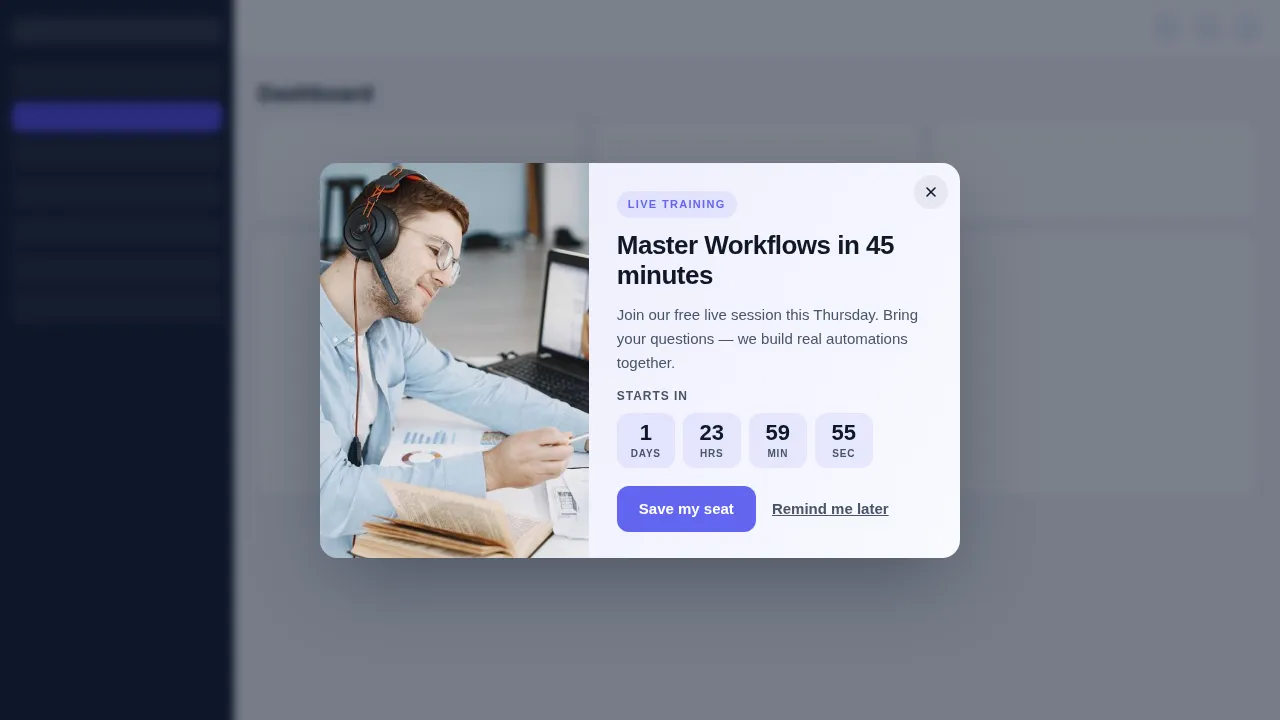
Now showing: Clay welcome back. Real templates from the customizer, rendered by the same popup engine that runs inside GoHighLevel and on websites. Buttons and close links work.
Where popups earn their spot in the running order
Registration nudge
A timed popup on blog posts and the home page that points to the next webinar's registration form.
Crew call
An in-app popup telling setters and moderators the session starts in 10 minutes and which inbox to watch.
Replay reminder
An exit or bar popup on the replay page with the booking link before the replay comes down.
Waitlist capture
A newsletter-style popup that collects interest for the next date instead of a dead "registration closed" page.
7 popup formats and when to use each
| Format | Templates | Good for |
|---|---|---|
| Centered modal | 20 | The classic centred box: registration offers, replay links, "doors close tonight" notices. |
| Slide-in | 9 | Slides in from a corner without blocking the page; good for a gentle welcome back or a tip. |
| Top / bottom bar | 4 | A slim bar at the top or bottom of the screen for countdowns and short announcements. |
| Full-screen | 2 | Takes the whole screen for the moments that deserve it, such as a cart-open announcement. |
| Side drawer | 2 | Opens from the side with room for more detail, like an agenda or a short form. |
| Toast | 3 | A small, short-lived note in the corner for confirmations and quick nudges. |
| Social proof | 3 | Social-proof style popups that show real recent activity on a page. |
Announcements that nobody sees
- Team reminders lost in a Slack thread
- A separate popup tool with its own monthly fee
- Replay visitors leave without seeing the booking link
The right message on the right screen
- In-app notices where the team already works
- Page popups managed from the same account
- Swap designs between launches in minutes
Four cues from checkout to your first popup
The one-line install that carries your theme also carries popups. Once it is in place, a new popup goes live when you switch it on. Details in the install guide.
- Cue 1Today
Choose a package and pay once
Pick Live Start, Stage Pro, Main Event and pay by card through Stripe. It is a one-time payment for a lifetime account: no subscription and no renewal.
- Cue 2Minutes later
Get your login by email
The account is created automatically and your login (email and a temporary password) arrives by email, usually within minutes and at most 24 hours.
- Cue 3Rehearsal
Customize in the live editor
Log in, pick a theme, login design, menus, dashboard and widgets, and watch every change on a live preview before anything reaches your clients.
- Cue 4Curtain up
Paste one line into GoHighLevel
Paste one line of code into Agency Settings, Company, White Label, Custom JS (plus one CSS line for the login page). About 2 minutes, once; later changes go live instantly.
Included from Main Event
43 popup templates with up to 15 live at once, plus notifications, calculators, floating widgets and a white-label editor. One-time payment, lifetime access. Login emailed within minutes (max 24 hours).
Popup template questions
Triggers, limits, compliance and which package switches popups on.
What are GoHighLevel popup templates in the customizer?
Which package includes popups?
Can a popup announce a webinar to my team inside GoHighLevel?
Can I use them as registration or exit-intent popups on my pages?
Do I need to code to edit a popup?
Why is there a limit of 15 live popups?
Will a popup slow down my registration page?
How do popups fit with SMS and email compliance?
Can I see the popups before buying?
Popups play well with the supporting cast
Pair them with social proof notifications and a floating message widget on the same registration page, or go back to the GHL Customizer Studio overview.
Dashboard designs
Dashboard designer: 18 sub-account dashboard designs, tried live on a sample webinar launch dashboard.
From Stage ProThemes and dark mode
27 themes, 11 UI kits, dark mode, brand colours and logo for every GoHighLevel screen.
From Live StartPipeline boards
Pipeline board designer: 12 opportunities board designs, tried live on a sample registrant pipeline.
From Stage ProMenus and navigation
Menu layouts: sidebar or top bar, 8 top-bar styles, 8 mega menu styles, 8 header styles and a floating quick menu.
From Live StartContact actions bar
Contact actions bar: quick tags, custom-field forms and workflow buttons on every GoHighLevel contact.
From Stage ProLogin page designs
16 animated login page designs for the GoHighLevel sign-in, two-factor and password reset screens.
From Live StartCalculator widgets
Calculators: 134 templates in 14 types (no-show, ROI, stack replacement, speed to lead and more) for websites and funnels.
From Main EventSocial proof notifications
Notifications and social proof: 94 templates in 32 types, including live counters, video and countdown collectors.
From Main EventFloating widgets
Floating widgets: 51 templates in 7 types, with 34 networks and leads sent into GoHighLevel.
From Main EventPut the next announcement where people look
Popups come with Main Event, together with notifications, calculators, floating widgets and the white-label editor.
One-time payment · login emailed within minutes (max 24 hours) · we never ask for your GoHighLevel password
GHL Webinar Snapshot is an independent team and is not affiliated with, endorsed by or sponsored by HighLevel, Inc. GoHighLevel and HighLevel are trademarks of their owner and are used here only to describe compatibility. The GHL Customizer account runs on the GHL Customer Care customizer platform; you customize and install it yourself. Prices are one-time, in USD, and come from our pricing file (last updated 2026-10-02).