
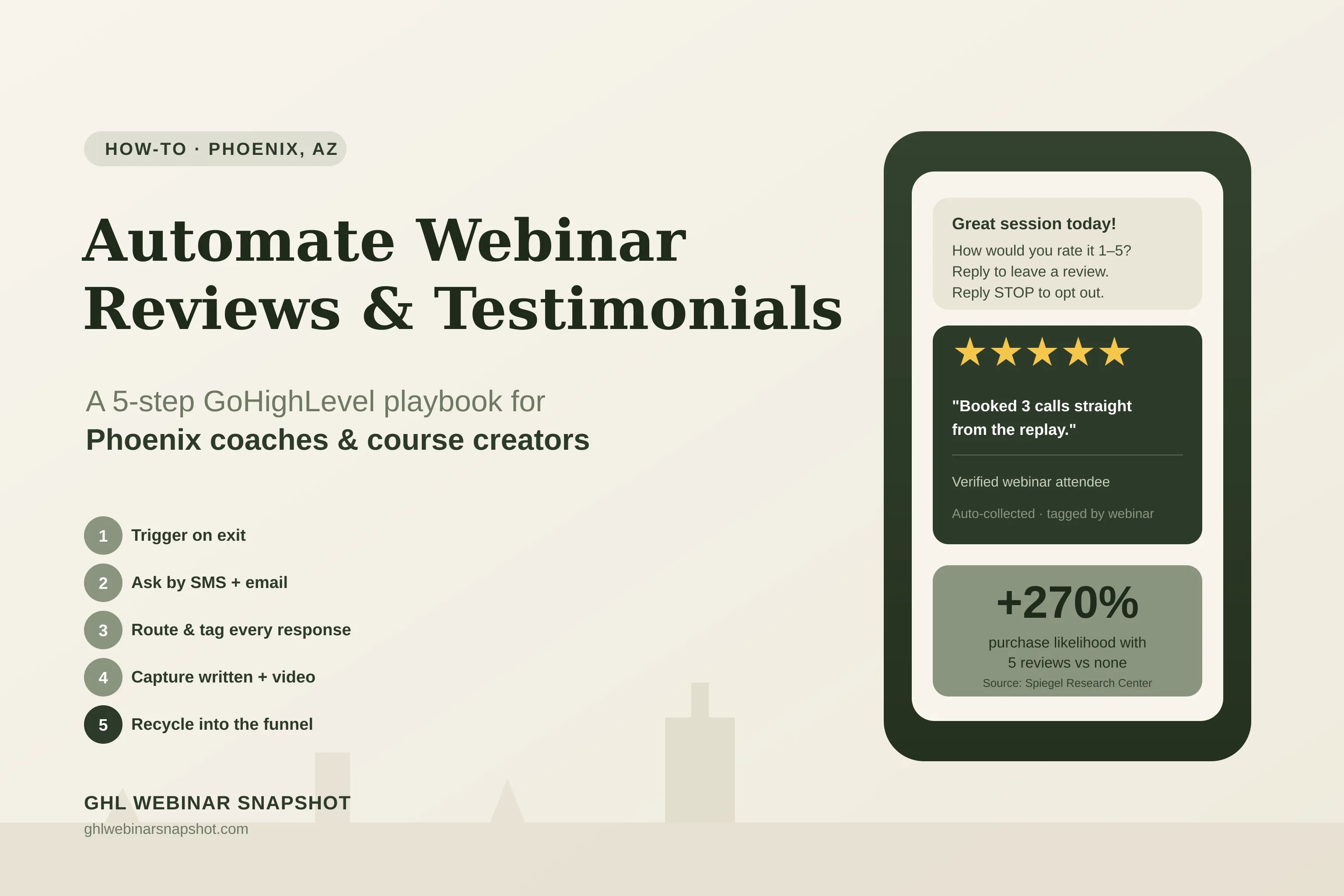
Review harvesting is the automated process of asking every webinar attendee for a testimonial or public review at the exact moment they’re most impressed — the minute your session ends — then routing, tagging, and reusing what comes back. For a Phoenix coach or course creator, it’s the difference between a hard drive full of nice-but-unused DMs and a registration page stacked with fresh, dated social proof that fills your next webinar. Most operators run a great session, feel the room’s energy, and then… never ask. Three days later the goodwill is gone. This playbook shows you how to wire the ask into GoHighLevel so it fires automatically, stays compliant, and compounds — every figure below is sourced.
Table of contents
- What review harvesting is — and why webinars are the perfect trigger
- Why reviews decide whether your next webinar fills
- The peak-emotion window: ask the moment it ends
- The 5-step GoHighLevel review-harvesting playbook
- Staying compliant: TCPA, A2P, and Google’s review policy
- Why this matters for Phoenix coaches specifically
- FAQ
What review harvesting is — and why webinars are the perfect trigger
Review harvesting is a system, not a favor you remember to ask for. It watches for a specific event — an attendee finishing your live webinar, or a lead watching your evergreen replay to the end — and automatically sends a short, well-timed request for feedback. The responses get tagged by webinar and by sentiment, the happy ones get nudged toward a public review or a testimonial form, and the whole library feeds back into your funnel.
Webinars are the ideal trigger for one reason: emotion and intent peak at the same instant. Someone who just spent 45 minutes learning from you, nodding along, typing in chat — that person is at their most willing to vouch for you. Wait until tomorrow’s inbox and the feeling has cooled. The registration data you already collect in GoHighLevel — name, email, phone, attendance status, replay-watch tags — is everything you need to ask at the right moment, to the right people, automatically.
If you already run the replay-tag pipeline to surface hot watchers, review harvesting is the natural next layer: the same behavioral tags that flag a buyer also flag a future advocate.
Why reviews decide whether your next webinar fills
Social proof isn’t a nice-to-have on a coaching or course offer — it’s often the deciding factor. The numbers are stark and consistent across the research.
Northwestern University’s Spiegel Research Center found that displaying reviews can lift conversion dramatically — and the lift scales with price. When reviews appeared on a lower-priced product, conversion rose 190%; on a higher-priced product, it jumped 380%. For high-ticket coaching and courses, that second number is the one to circle.
Two more findings shape the strategy. First, volume matters more than perfection: purchase likelihood actually peaks between 4.0 and 4.7 stars, then dips toward a flawless 5.0 that shoppers read as “too good to be true.” You don’t need a wall of unanimous raves — you need a real, believable stream. Second, that stream has a shelf life: with 73% of consumers only weighting reviews from the last month, a testimonial you collected last spring is nearly invisible today. Both facts point to the same conclusion — you need a steady, automated intake, not an annual scramble.
The peak-emotion window: ask the moment it ends
Timing is the whole game. The reason most coaches have so few testimonials isn’t that attendees are unwilling — it’s that the ask arrives late, or never. The moment your webinar wraps or your replay hits its final CTA, the attendee is primed. Every hour after that, response rates fall and the specifics they’d have praised fade.
This is also why the channel matters. A review request buried in an email that lands next to forty others underperforms a short, direct text. Industry benchmarks put SMS open rates near 98%, versus roughly 20% for email, with most texts read within minutes. A two-touch ask — an immediate SMS while the feeling is hot, plus an email with the review links for people who prefer to type — captures both types of attendee. (SMS to US contacts carries compliance obligations; we cover those below and in the SMS compliance guide.)
The 5-step GoHighLevel review-harvesting playbook
Here is the exact workflow the review harvesting feature installs. You can build it by hand in GoHighLevel or import it pre-wired — either way, these are the five steps that make it run without you.
Step 1 — Trigger on the exit, not on your memory
In GoHighLevel, the workflow starts from a tag or a status change, not a manual send. When an attendee is marked present (or your evergreen automation applies a replay-watched tag), that event enrolls them in the review workflow. Live attendees and replay finishers can follow slightly different message copy, but both are caught automatically. This is where your existing CRM and workflow automations earn their keep — the tags are already there.
Step 2 — Ask by SMS + email, in that order
Send the SMS first (10–15 minutes post-session), then an email an hour or two later as a backup for non-responders. Keep the text to one sentence and one link. A second, gentler SMS nudge 48 hours later — only to people who haven’t responded — typically recovers a meaningful share without feeling pushy. All of this runs on SMS automation with opt-out handling wired in.
Step 3 — Route promoters public, detractors private (without gating)
Ask a quick one-tap question: “How was today’s session — 1 to 5?” People who answer 4–5 get sent straight to your public review link (Google, a course marketplace, or a testimonial form). People who answer 1–3 get routed to a private feedback form so you can make it right. Important: this is smart routing, not review gating. You may not suppress or block unhappy customers from leaving a public review — that violates Google’s review policies and can get your profile penalized. Everyone can still review you publicly; you’re simply giving detractors a faster private channel first.
Step 4 — Capture the format that converts, and tag it
Collect both written blurbs and short video testimonials — a link to a simple upload or a Loom works fine. Video is increasingly the format buyers want; on the trust side, 88% of consumers trust recommendations from people they know above any ad (Nielsen), and a face on camera is the closest a stranger gets to that. Tag every response by webinar topic and offer so you can pull the right proof for the right funnel later.
Step 5 — Recycle into the funnel so it compounds
This is the step that turns a chore into a growth loop. Feed the freshest reviews onto your webinar registration page and confirmation page, into your reminder sequence, and onto your sales-call booking page. New attendees see recent, dated, specific proof — which lifts show-up and sign-up rates for the next session, which produces more reviews. The system feeds itself.
Staying compliant: TCPA, A2P, and Google’s review policy
Automated outreach is powerful, which is exactly why it’s regulated. Three things keep you on the right side of the line:
- TCPA consent. Texting US contacts requires prior express consent and a clear opt-out (reply STOP). Capture consent at registration, honor opt-outs automatically, and don’t message people who never agreed.
- A2P 10DLC registration. Application-to-person SMS from a US number must be registered through A2P 10DLC or your messages get filtered or blocked by carriers. Register your brand and campaign before you scale the ask.
- No review gating. As covered in Step 3, you can route unhappy customers to private feedback first, but you cannot prevent them from posting a public review. Google’s policies prohibit selectively soliciting only positive reviews.
None of this is a reason to avoid automation — it’s a reason to build it correctly once. The snapshot handles consent capture, opt-out, and A2P-ready flows as first-class parts of the system, but final messaging and compliance posture remain your responsibility as the operator.
Manual asking vs automated harvesting
You remember to ask a few attendees days later, collect a handful of testimonials a year, and they slowly go stale on a page nobody updates.
Every attendee gets a compliant SMS + email ask minutes after the session, promoters flow to public reviews, and the freshest proof auto-displays on your next registration page.
Why this matters for Phoenix coaches specifically
Phoenix is one of the fastest-growing metros in the country, and its small-business base reflects it: Arizona is home to 678,357 small businesses — 99.5% of all businesses in the state, employing about 1.1 million people (U.S. SBA Office of Advocacy, 2024). For a coach or course creator selling into that market — or serving clients nationally from a Phoenix home base — the competition for attention is real, and trust is the shortcut.
Local and niche buyers alike lean on reviews to sort the credible from the noise. When a Phoenix fitness coach, business consultant, or course creator can show recent, specific testimonials tied to the exact webinar a prospect just registered for, the decision gets easier. Automating the harvest means that proof keeps arriving whether you’re running a live masterclass downtown or an evergreen funnel at 2 a.m. — the kind of always-on system a dedicated GHL setup is built to run.
If show-up rate is the lever that moves everything downstream — and it is — then review harvesting is how you keep that lever loaded. More proof means more registrations, more registrations mean more attendees, and more attendees mean more reviews. Pair it with disciplined no-show recovery and a tight follow-up email sequence and the whole funnel tightens.
FAQ
What is review harvesting for webinars?
Review harvesting is an automated workflow that asks every webinar attendee for a testimonial or public review at the moment they're most impressed — right after the session or replay ends — then routes, tags, and reuses the responses. Instead of manually remembering to ask a few people days later, the system fires an SMS and email automatically, sends happy attendees to a public review and unhappy ones to private feedback, and feeds the best proof back onto your registration pages.
When should I ask a webinar attendee for a review?
As close to the end of the session as possible — ideally an SMS 10 to 15 minutes after it wraps, while the emotion and specifics are still fresh, followed by an email backup an hour or two later. Response rates fall the longer you wait. A single gentle SMS reminder 48 hours later, sent only to non-responders, recovers additional reviews without feeling pushy.
Do reviews really affect coaching and course sales?
Significantly. The Spiegel Research Center at Northwestern found a product with five reviews is 270% more likely to be purchased than one with none, and that displaying reviews lifted conversion 380% on higher-priced products. BrightLocal's 2024 survey found 98% of consumers read reviews before choosing a local business. For high-ticket coaching and courses, credible recent social proof is often the deciding factor.
Is automated SMS review collection legal in the US?
Yes, when built correctly. Texting US contacts requires prior express consent and a clear opt-out (reply STOP), and application-to-person SMS from a US number must be registered through A2P 10DLC or carriers will filter it. Capture consent at registration and honor opt-outs automatically. A done-for-you build should handle consent, opt-out, and A2P registration as first-class parts of the system — but final compliance responsibility stays with the operator.
Isn't sending unhappy customers to a private form 'review gating'?
Not if you do it correctly. Smart routing offers detractors a faster private channel to be heard first, but it must never prevent them from also leaving a public review. Selectively soliciting only positive reviews, or blocking negative ones, violates Google's review policies and can get your profile penalized. Everyone retains the ability to review you publicly.
How long does it take to set up review harvesting in GoHighLevel?
If you import the pre-built snapshot workflow, it installs in about 24 hours once we have sub-account access — trigger tags, SMS and email templates, the routing question, tagging, and the auto-display blocks are wired in. Building it by hand from scratch takes most operators several days of workflow, template, and testing work.
About the author
Derek Haywood is a GHL Automation Engineer based in Denver, CO. A former B2B SaaS sales engineer, he moved into GoHighLevel implementation and now obsesses over the plumbing behind webinar funnels — tags, triggers, lead scoring, and the pipelines that surface buyers and advocates without manual CSV scrubbing. He has a low tolerance for broken automations and an even lower one for vague compliance hand-waving.
Related reading
- The Replay-Tag Pipeline: Surface Buyers Without Scrubbing CSVs
- Webinar No-Show Recovery: Win Back the Registrants Who Didn’t Attend
- SMS Reminder Compliance for Webinars (TCPA + A2P 10DLC)
- Why Show-Up Rate Is the Only Webinar Metric That Compounds
- The Post-Webinar Email Sequence That Books Calls
Sources
- Spiegel Research Center, Northwestern — How Online Reviews Influence Sales (270% / 190% / 380%; 4.0–4.7 star peak)
- BrightLocal — Local Consumer Review Survey 2024 (98% read reviews; 42% trust as much as personal recs; 73% weight last-month reviews)
- Livestorm — Webinar Metrics (47.7% average show-up rate)
- Nielsen — Global Trust in Advertising (88% trust recommendations from people they know)
- Infobip — SMS Marketing Statistics (SMS open rate ~98% vs ~20% email; industry benchmark)
- U.S. SBA Office of Advocacy — 2024 Arizona Small Business Profile (678,357 small businesses = 99.5%) (PDF)