
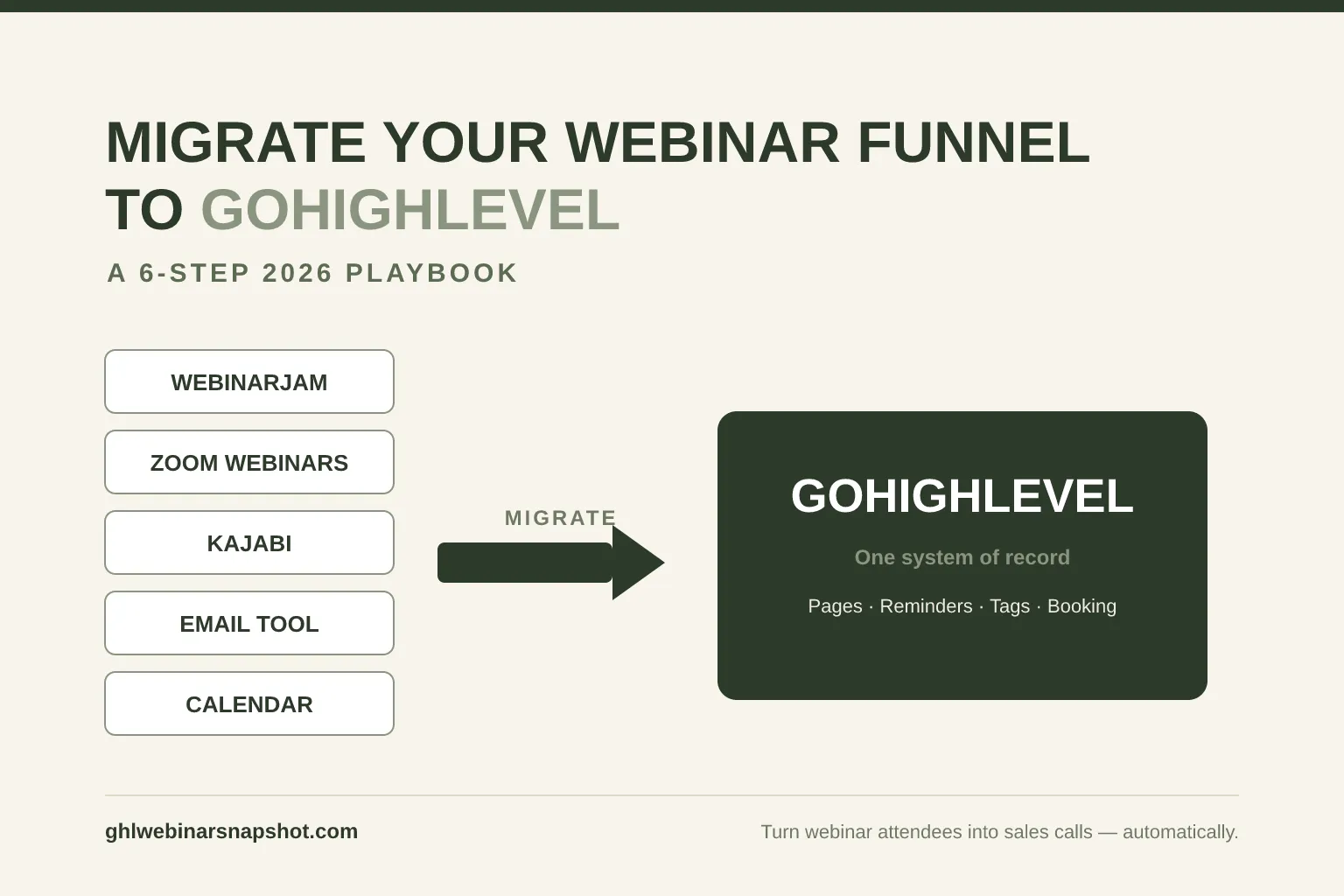
To migrate your webinar funnel to GoHighLevel, you move six things in order — contacts and tags, your registration pages, your reminder cadence, your webinar-platform connection, your attendance/booking automation, and finally a tested cut-over between launches — so registrants keep flowing while you switch the plumbing underneath. Done in that sequence, you consolidate a scattered stack (WebinarJam or Zoom for the room, a page builder for the funnel, Kajabi for the offer, a separate email tool for reminders) into one system that captures every registrant and books calls automatically — without dropping a single sign-up mid-move.
Most operators don’t migrate because it feels risky: your live funnel is running, money is moving through it, and “rebuilding everything” sounds like a great way to break the one thing that works. The good news is that a webinar migration is one of the most predictable migrations there is. The pieces are well understood, the order matters more than the effort, and if you sequence it correctly, your audience never notices the switch. This guide walks the exact process I use as a GoHighLevel automation engineer.
Table of contents
- What “migrating your webinar funnel to GoHighLevel” actually means
- Why consolidate your webinar stack into GoHighLevel?
- Before you start: the pre-migration audit
- How to migrate your webinar funnel to GoHighLevel: 6 steps
- Full migration vs. a two-way connector
- Common migration mistakes to avoid
- DIY vs. done-for-you migration
- FAQ
What “migrating your webinar funnel to GoHighLevel” actually means
Migrating your webinar funnel to GoHighLevel means moving the moving parts of your funnel — contacts, registration pages, reminder sequences, attendance data, and the booking flow — out of separate tools and rebuilding them natively inside GHL, so one platform runs the entire path from ad click to booked sales call. It does not necessarily mean abandoning the webinar room itself; you can keep hosting on Zoom or WebinarJam and simply pipe their data into GHL.
A typical pre-migration webinar stack looks like this: a landing-page builder for registration, an email tool for reminders, WebinarJam or Zoom Webinars for the live room, maybe Kajabi or Teachable holding the course/offer, a scheduler like Calendly for the sales call, and a spreadsheet where someone reconciles who actually attended. Each tool is fine on its own. The problem is the seams — every hand-off between tools is a place where a registrant gets dropped, a reminder doesn’t fire, or a hot replay-watcher sits unnoticed for three days.
GoHighLevel’s pitch is that it collapses those seams into one CRM. As of 2026 the platform reports serving 60,000+ agencies and 1.4M+ businesses, which is why so much of the coaching, course, and B2B-webinar world has standardized on it. Migrating means your registration form, your 7-touch reminder cadence, your attendance tags, your replay-watch tracking, your lead scoring, and your booking calendar all live in the same place and talk to each other automatically.
Why consolidate your webinar stack into GoHighLevel?
You consolidate for three reasons: to stop paying for and re-keying data across disconnected tools, to fire follow-up fast enough to actually convert leads, and to put your reminders and booking flow where your CRM already lives. Each one maps to a hard number.
1. Tool sprawl is expensive and leaky. The enterprise version of this problem is stark — Zylo’s 2025 index found the average company runs about 275 SaaS applications and leaves 44–51% of provisioned licenses unused. A solo coach or a small B2B team isn’t running 275 apps, but the pattern is identical at smaller scale: a registration tool, an email tool, a webinar tool, a scheduler, a course platform — several of them overlapping, none of them fully used, and data copied by hand between them. Every manual export is a chance to miss a registrant.
2. Slow follow-up quietly kills your best leads. This is the number that should drive the whole decision. The MIT / InsideSales Lead Response Management study found that contacting a web lead within 5 minutes instead of 30 makes you roughly 21× more likely to qualify that lead — and about 100× more likely to even connect. Harvard Business Review’s audit of 2,241 U.S. companies backed it up: firms that responded within an hour were 7× more likely to qualify a lead, yet the average first response took 42 hours and 23% never responded at all. A registrant who replies to your confirmation SMS with a question is a hot lead on a stopwatch. A spreadsheet workflow answers in hours; a GHL workflow answers in seconds.
3. The math still starts with show-up rate. Consolidation only matters because attendance is finite. Across large samples, Livestorm’s 2026 report put the average webinar show-up rate at about 47.7% of registrants, and ON24’s 2025 benchmarks found roughly 57% registration-to-attendance for its cohort. Either way, about half your registrants show up live — so the automation you rebuild in GHL (reminders that lift show-up, replay tags that surface the other half, one-click booking) is exactly where the revenue is won or lost. That’s the case for treating show-up rate as the metric that compounds.
Before you start: the pre-migration audit
The single biggest predictor of a clean migration is whether you mapped the funnel before you touched it. This is where most projects go sideways: Bloor Research’s long-running study of data-migration projects found only about 62% are delivered on time and on budget — the rest overrun, blow their budget, or get abandoned. Migrations almost never fail on technology; they fail because nobody wrote down what “done” looks like. So before exporting a single contact, produce a one-page map.
Your pre-migration audit should capture, in writing:
- Every contact source and its size. Registrants, past attendees, buyers, and cold lists — where each lives (WebinarJam, Kajabi, your email tool) and how many records.
- Your tag and custom-field taxonomy. How you currently mark “registered,” “attended live,” “watched replay,” “no-show,” and “booked.” These become GHL tags and custom fields.
- The reminder cadence. Every email and SMS in your current sequence, its timing relative to the webinar, and its copy. You’ll rebuild these as GHL workflows.
- The pages. Registration page, confirmation/thank-you page, replay page, and booking page — plus which are on a builder you’re leaving.
- The webinar room. Which platform hosts it, and whether you’re keeping it (connector) or replacing it with GHL-native + a meeting tool.
- The booking flow. Your calendar, availability rules, and the reminders attached to booked calls.
How to migrate your webinar funnel to GoHighLevel: 6 steps
The migration itself is six sequenced steps. Do them in order — each one depends on the last — and rebuild inside GHL rather than trying to import a funnel wholesale.
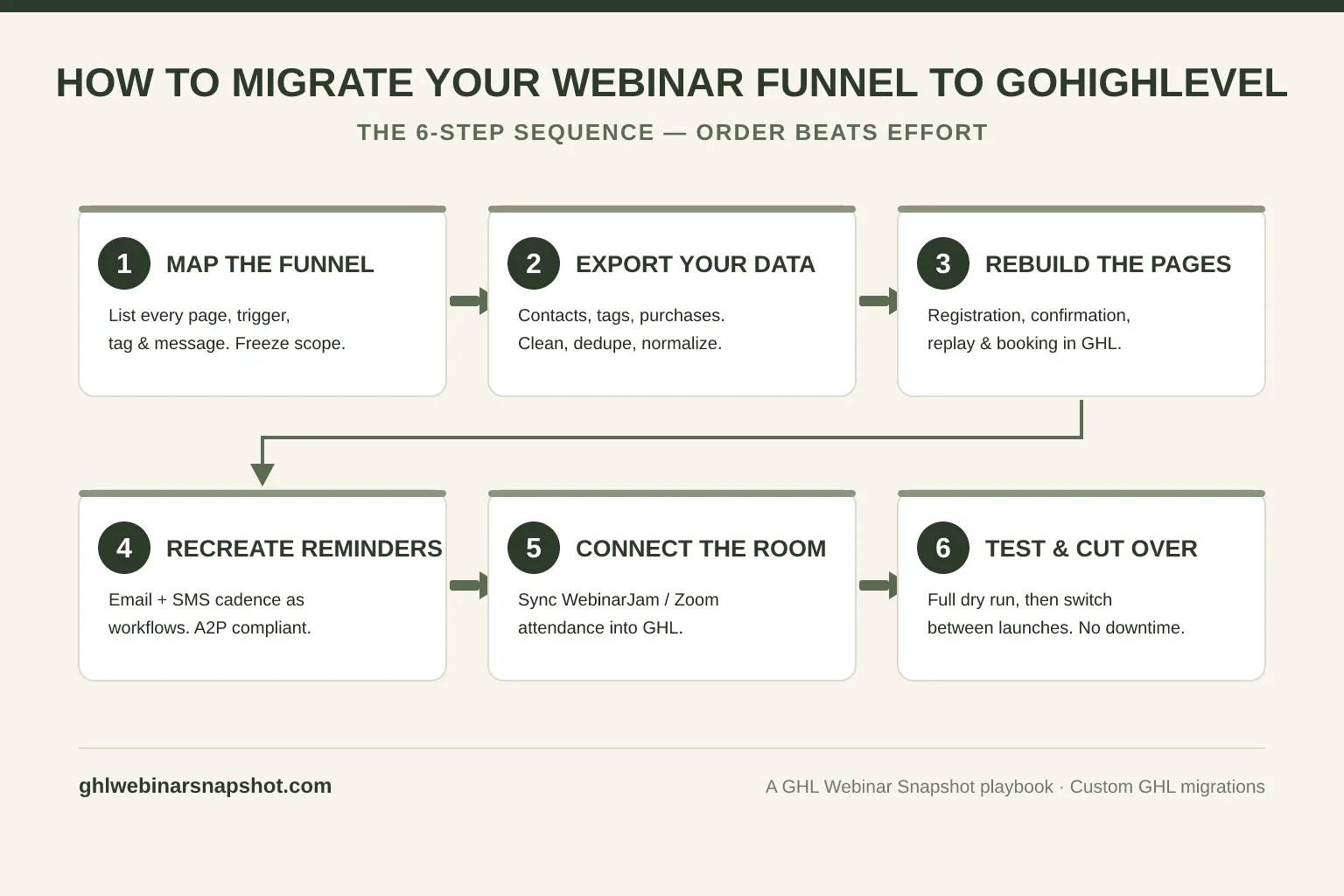
Step 1 — Map the funnel (and freeze the scope)
Turn the audit above into a single diagram: every page, every trigger, every message, every tag, from ad click to booked call. Mark each item “rebuild in GHL,” “migrate data only,” or “connect via API.” This map is your definition of done — anything not on it is out of scope for this migration. Freezing scope here is what keeps you in Bloor’s 62%.
Step 2 — Export your data cleanly
Export contacts, tags, custom fields, and purchase history from each source as CSV (Kajabi, Teachable, and most webinar tools support this; WebinarJam and Zoom export registrant and attendance lists per event). Before importing, dedupe on email, normalize phone numbers to E.164 format (+1XXXXXXXXXX) so GHL SMS works, and map each old tag/field to its new GHL equivalent from your Step 1 taxonomy. Import into GHL in small batches and spot-check that tags and custom fields landed on the right records.
Step 3 — Rebuild the pages
Recreate your registration page, confirmation page, replay page, and booking page inside GHL (or on a fast front-end wired to GHL — more on that below). Rebuild rather than “port”: page builders don’t translate, and a clean rebuild lets you fix the conversion leaks you’ve been meaning to address. Point the registration form’s action at GHL so every sign-up creates a contact and triggers the workflow instantly.
Step 4 — Recreate the reminder cadence
Rebuild your email + SMS reminder sequence as GHL workflows, triggered off the “registered” tag. Match your existing timing (the classic cadence runs confirmation → 24-hour → 1-hour → 15-minute → “we’re live” → replay nudges). Because you’re now sending SMS from GHL, wire in compliance from the start: A2P 10DLC registration, clear consent language on the form, and STOP handling. Don’t treat this as an afterthought — see our SMS compliance guide for webinars before you turn sends on.
Step 5 — Connect (or replace) the webinar room
Decide whether GHL hosts the room or just receives its data. If you’re keeping WebinarJam, Zoom Webinars, Demio, or EverWebinar, wire a connector so registration and live-vs-replay attendance events flow into GHL and update attendance + replay-watch fields automatically. If you’re consolidating fully, run the webinar through a native/meeting integration and let GHL own registration end-to-end. Either way, the goal is the same: attendance data lands on the contact record without anyone touching a spreadsheet.
Step 6 — Test end-to-end, then cut over between launches
Run a full dry cycle: register a test contact, confirm the workflow fires, join live and confirm the “attended” tag lands, watch the replay and confirm the replay tag lands, and book a call to confirm the calendar and its reminders work. Only when the new funnel passes end-to-end do you cut over — and cut over between launches, never mid-promotion. Repoint your ad URLs and links to the GHL funnel, keep the old stack live and read-only for a cycle as a safety net, then decommission it once the first real webinar runs clean.
Full migration vs. a two-way connector
You have two legitimate paths: a full migration that rebuilds everything natively in GoHighLevel, or a connector that keeps your existing webinar platform and syncs its data into GHL. Choose by how much of your funnel is trapped elsewhere and how much risk you want to carry at once.
A full migration makes sense when your offer, course, or membership is locked inside Kajabi, Teachable, or Thinkific and you want one system of record. A connector makes sense when your webinar room (WebinarJam, Demio, Zoom) works fine and you only need its registration and attendance data in GHL to drive follow-up and booking.
Full migration vs. two-way connector
| Plan | Full migration to GHL recommended | Two-way connector |
|---|---|---|
| Price | One system | Keep your room |
| Feature 1 | Rebuilds pages, offers, members & flows natively in GHL | Keep WebinarJam / Zoom / Demio for the live room |
| Feature 2 | One system of record — no ongoing sync to maintain | Sync registration + attendance into GHL automatically |
| Feature 3 | Best when your funnel is trapped in Kajabi/Teachable | Lower risk, faster to stand up |
| Feature 4 | Bigger up-front project | You maintain a sync integration |
| Feature 5 | Cut over between launches | Great as a phase-one step toward full migration |
Many operators do both in sequence: stand up a connector first so follow-up and booking move into GHL immediately, then run the full migration off the course platform on a calmer timeline. This is exactly the kind of build a custom GHL development engagement handles — a webhook-driven connector that creates a pipeline stage from every attendance event and flips attendance/replay fields based on live-vs-replay viewing.
Common migration mistakes to avoid
Most failed webinar migrations repeat the same handful of avoidable mistakes — and none of them are technical:
- Skipping the funnel map. Without a written definition of done, scope creeps and the project stalls. This is the difference between the 62% and the 38%.
- Cancelling the old tools too early. Keep everything paid and live until the new funnel runs one full cycle clean.
- Importing dirty data. Duplicate contacts, un-normalized phone numbers, and unmapped tags break SMS and workflows on day one. Clean before you import.
- Ignoring SMS compliance during the rebuild. Turning on reminder sends without A2P 10DLC and consent handling risks carrier filtering and worse. Build compliance in at Step 4.
- Cutting over mid-launch. The one unrecoverable error. Cut over in the quiet window.
- Rebuilding the leaks. A migration is your chance to fix the conversion problems in your old webinar funnel, not to faithfully recreate them.
DIY vs. done-for-you migration
A webinar migration is very doable yourself if you’re comfortable in GHL and have the time for a focused week or two; it’s worth handing off when your funnel is complex, your data is messy, or your revenue depends on nothing breaking mid-move. The steps above are the whole method — there’s no secret sauce, just discipline and sequencing.
Where operators get burned is the parts that don’t show up in a tutorial: normalizing thousands of contact records, building a two-way connector against the WebinarJam or Zoom API, migrating a Kajabi catalog with purchase history intact, and cutting over with genuinely zero downtime. If your webinar is the core of your business, the migration is not the place to learn by trial and error on live data.
That’s what our Custom GHL Development service exists for. We map your current funnel, migrate members and data cleanly (duplicates merged, custom fields preserved), rebuild your registration pages, reminder cadence, replay nudges, and pipelines natively in GHL, and cut over between launches so you never miss a registration. Platform-to-GHL connectors start at $3K–$8K and full course/webinar migrations run $4K–$12K, with fixed scope and timeline agreed before we start. If you’d rather move the public front door to a faster stack while GHL runs automation, our Get a Website service pairs an Astro registration site with your GHL back end.
FAQ
How do I migrate my webinar funnel to GoHighLevel?
Migrate in six ordered steps: (1) map your entire funnel and freeze the scope, (2) export and clean your contacts, tags, and purchase history, (3) rebuild your registration, confirmation, replay, and booking pages in GHL, (4) recreate your email and SMS reminder cadence as GHL workflows with A2P 10DLC compliance, (5) connect or replace your webinar room so attendance data flows into GHL automatically, and (6) test the funnel end-to-end and cut over between launches. The order matters more than the effort — each step depends on the one before it.
Can I keep WebinarJam or Zoom and still use GoHighLevel?
Yes. You don't have to abandon your webinar room to move your funnel into GHL. A two-way connector syncs registration and live-vs-replay attendance events from WebinarJam, Zoom Webinars, Demio, or EverWebinar into GoHighLevel, updating attendance and replay-watch custom fields automatically. That lets GHL own follow-up, tagging, lead scoring, and booking while your existing platform keeps hosting the live room. Many operators start with a connector, then run a full migration later.
Will I lose registrants or data during the migration?
Not if you sequence it correctly. Keep every existing tool live and paid until the new GHL funnel has run at least one full webinar cycle end-to-end, clean and dedupe your data before importing, and cut over in the quiet window between launches — never during an active promotion. Bloor Research found only about 62% of data-migration projects finish on time and on budget; the ones that fail almost always skipped the funnel map or cut over too early, not because the technology failed.
How long does a webinar funnel migration to GoHighLevel take?
For a focused DIY migration, plan one to two weeks of concentrated work. Done-for-you timelines are typically 2–4 weeks for a platform-to-GHL connector and 3–6 weeks for a full course/webinar migration off Kajabi, Teachable, or Thinkific, depending on catalog size and data cleanliness. The audit and data-cleaning phase usually takes longer than people expect; the rebuild in GHL is the faster part.
Should I migrate everything at once or in phases?
It depends on your risk tolerance. A full migration gives you one system of record and no ongoing sync to maintain, which is ideal when your offer is trapped in a course platform. A phased approach — connector first, full migration later — lowers risk by moving follow-up and booking into GHL immediately while your live room stays put. If your webinar is your primary revenue source, phasing is usually the safer call.
Do I need a developer to migrate to GoHighLevel?
Not for a straightforward migration — the six-step process is doable by an operator comfortable in GHL. You'll want a developer for the parts that involve APIs: building a two-way connector against the WebinarJam or Zoom API, migrating a large Kajabi catalog with purchase history intact, or guaranteeing zero-downtime cut-over on live revenue. If your data is messy or your funnel is complex, a done-for-you migration is worth it to protect the funnel you depend on.
About the author
Derek Haywood is a GoHighLevel Automation Engineer based in Denver, CO. A former B2B SaaS sales engineer, he moved into GHL implementation and now obsesses over the plumbing behind webinar funnels — tags, triggers, lead scoring, connectors, and the migrations that consolidate a scattered stack into one system. He has a low tolerance for broken automations and an even lower one for migrations that drop data.
Related reading
- The Webinar Conversion Funnel: From Click to Booked Call
- Webinar Benchmarks 2026: Show-Up Rates & Conversion Data
- The Replay-Tag Pipeline: Surface Buyers Without Scrubbing CSVs
- Webinar Lead Scoring in GoHighLevel
- AI Webinar Follow-Up That Books Calls
- SMS Compliance for Webinars: TCPA & A2P 10DLC
Sources
- GoHighLevel — official homepage (agency & business counts, live figures)
- Zylo — 2025 SaaS Management Index (app count & unused licenses)
- Lead Response Management Study — Dr. James Oldroyd, MIT / InsideSales (5-minute rule)
- Harvard Business Review — The Short Life of Online Sales Leads (2011)
- Bloor Research — Data Migration 2011 (project success rates)
- Livestorm — Webinar Benchmark Report (average show-up rate)
- ON24 — 2025 Webinar Benchmarks Report (registration-to-attendance)